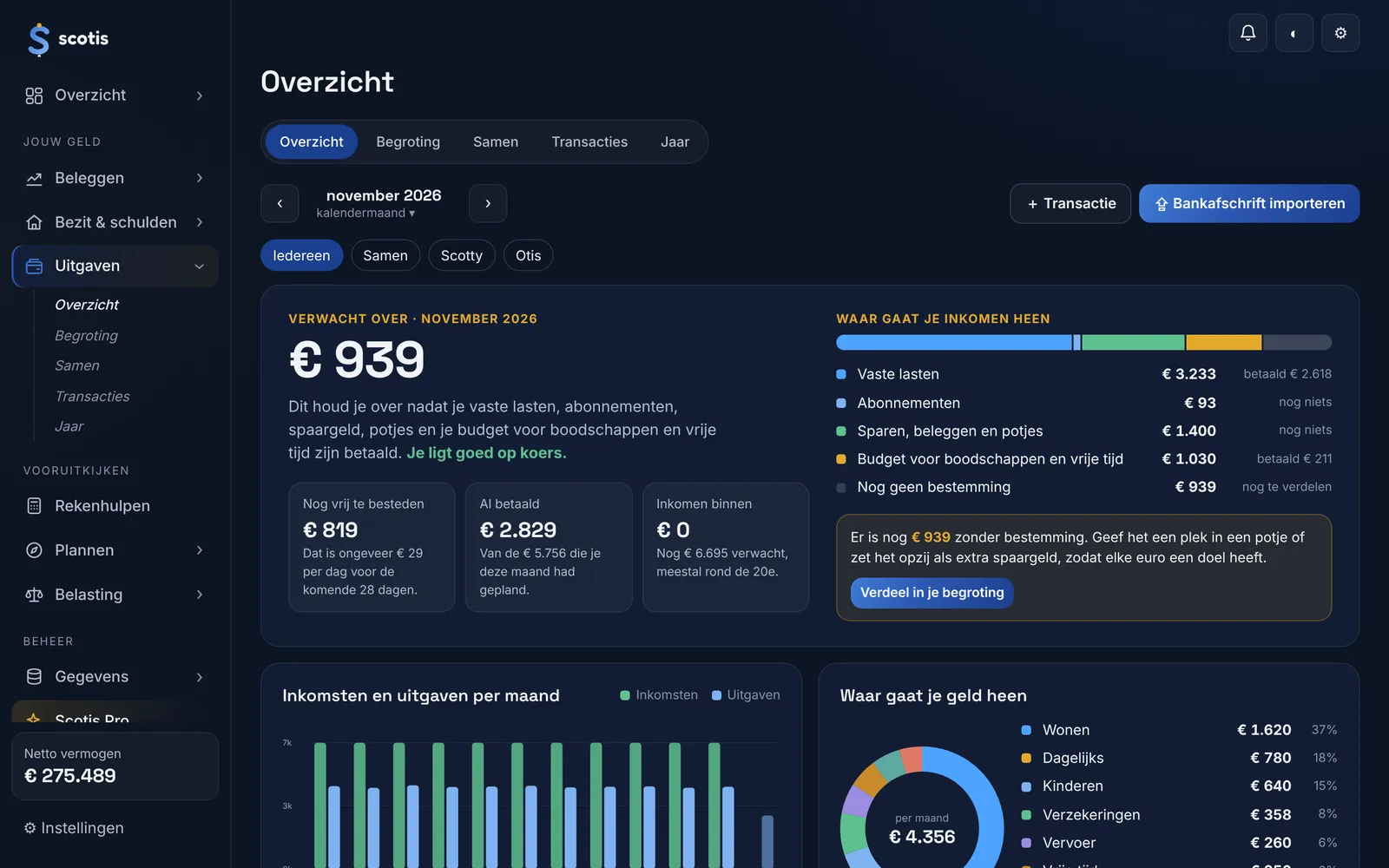
Know how you are doing by the middle of the month.
What you have left after your fixed costs, subscriptions, savings and budget, and how much you can still spend per day. Your month can start on your payday.
What you can do with it
Import a bank statement
CSV or PDF from ING, Rabobank, ABN AMRO, bunq and any bank via CAMT.053, or enter it yourself. Transactions are categorised automatically. Nobody gets access to your bank account.
Overview of the month
What comes in, what is already committed and what you can still spend freely, per person or together. With your income and spending per month and where your money goes.
Month from your payday
Choose whether your month starts on the 1st, on a fixed day or automatically on the day your salary comes in. If that falls on a weekend, it moves to the Friday before.
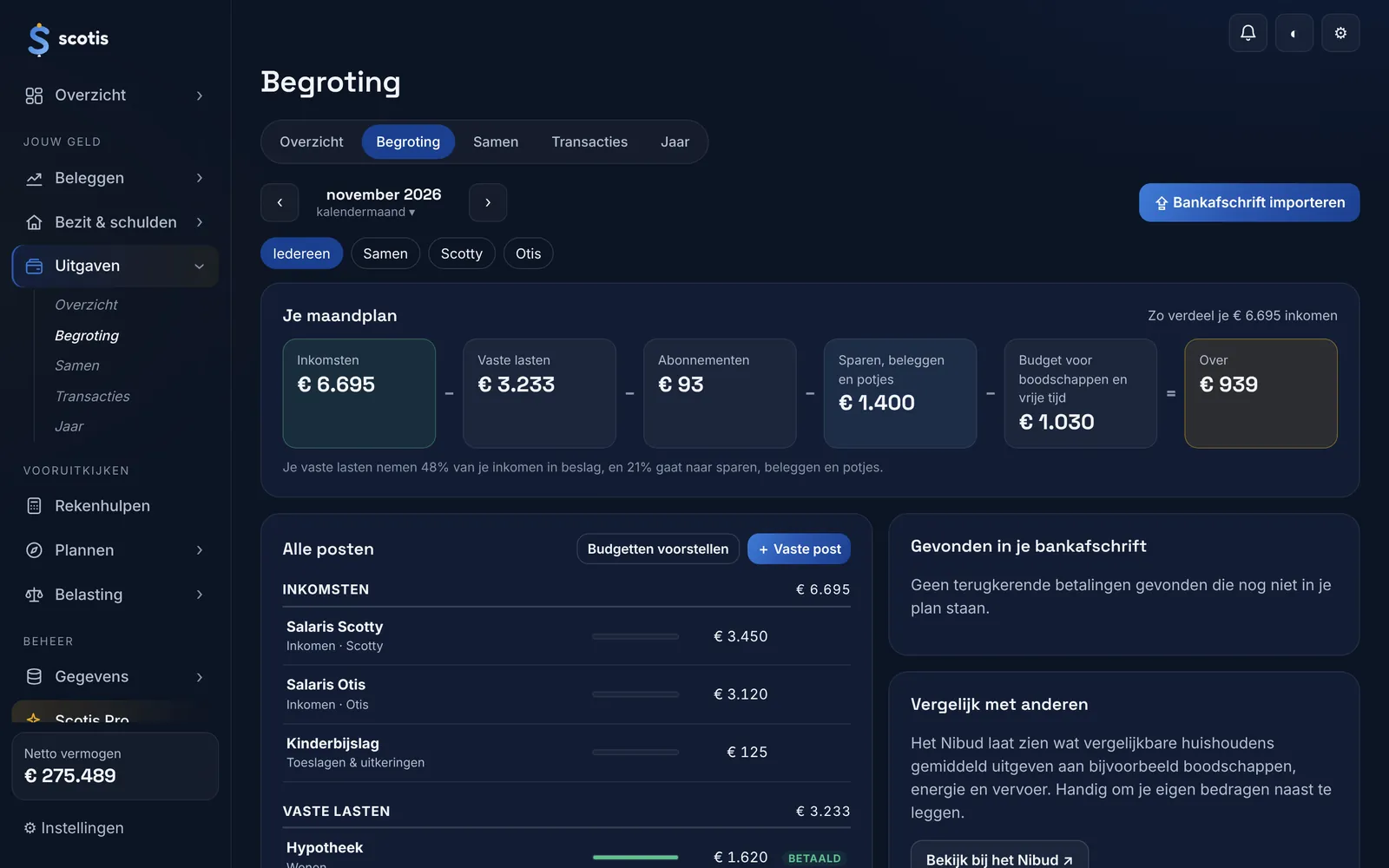
Budget
A budget per category, with a suggestion based on your own spending.
Pots and subscriptionsPro
Pots with a monthly amount for your savings goals, and your subscriptions with their annual cost.
Sharing costs
Who transfers what to the joint account: in proportion to income, both left with the same amount, 50/50 or your own split. Share the amount with one tap via WhatsApp.
Annual overviewPro
Month by month, your income, spending and what you had left, with the categories that are rising or falling.
Frequently asked questions
Which banks can I import?
CSV or PDF from ING, Rabobank, ABN AMRO and bunq, and any bank via CAMT.053. You can also enter transactions yourself.
Do I need to connect my bank?
No. You import a file; nobody gets access to your bank account.
Can my month start on payday?
Yes. Choose the 1st, a fixed day, or automatically the day your salary comes in.
Updated on 7 November 2026.
Read next
Scotis gives information and worked examples using your own numbers, not financial or tax advice.
Try it with the demo first.
Click around with the numbers of a sample household. If you like it, start with your own numbers.
Try the demo